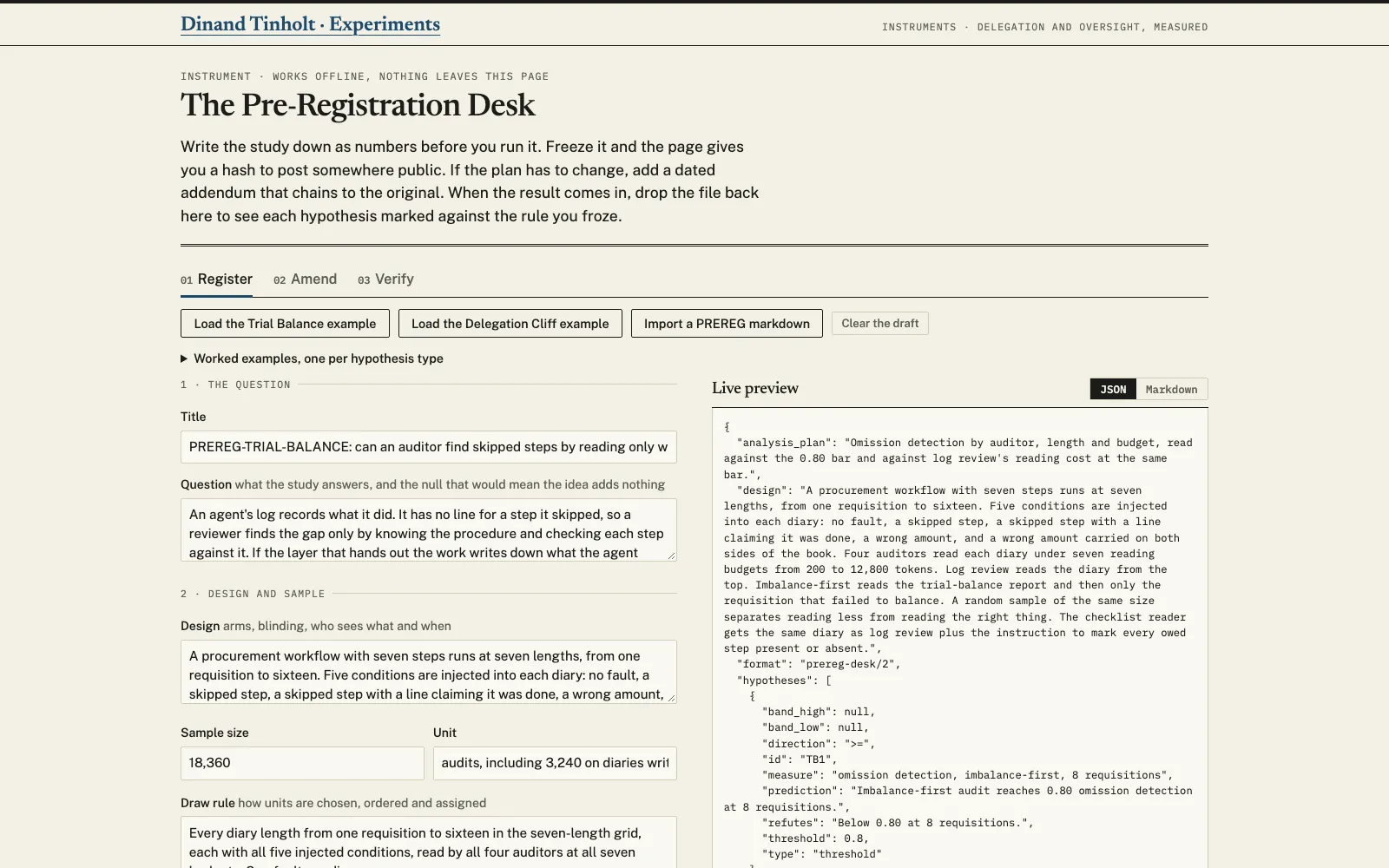
The Pre-Registration Desk freezes a study plan under a hash before any unit runs. It is one page in your browser, and it sends nothing anywhere. You write the question and the design, then each hypothesis as a rule the page can judge. When the results come in, the same page rechecks the hash and marks every row against the rule you wrote down.
What it does
Each hypothesis takes one of five rule types: a threshold, a two-sided band, a direction with a minimum effect, a ratio, or a ranking of one quantity above another. Kill conditions name the hypotheses they void. Freezing stamps the time from your browser's clock and hashes the plan in a fixed canonical form with SHA-256. The page then gives you a one-line record to post somewhere public.
If the plan has to change, an addendum gets its own hash, built on the parent's. A new threshold can't slip in quietly, because editing the parent breaks every link after it. Later the Verify tab rechecks every hash and marks each row against its own frozen rule, and any row a fired kill condition voids reads as not evaluable.
The desk also prints the whole registration with the hash in the footer of every page. It reads a registration written in the house markdown format too, and it shows you what it guessed before it fills anything in.
How to use it
Open the tool and load the Trial Balance or Delegation Cliff example to see how a real registration reads. Fill in the Register tab with your own study, press Freeze, and post the line it gives you somewhere with its own date, such as a public commit.
When results come in, drop the frozen JSON on the Verify tab and paste the hash you posted. Tick any kill condition that fired, then type each measured value. The verdict table downloads as markdown, with the chain and the public-hash result attached.
What it does not do
It doesn't witness time. The timestamp is whatever your browser clock says, so the hash you posted in public is the witness that counts. A hash stored inside the file only shows that the file agrees with itself.
It reads measured numbers against frozen rules. Whether the numbers were measured honestly, and whether the kill conditions were honoured, stays with the verifier. A hypothesis with several clauses, such as one bar at three lengths, has to be split into one row per number. The markdown reader guesses, so read its notes before you accept the import.
Where the numbers come from
The fields follow step 2 of the lab's protocol on the methods page. The two worked examples come from the Trial Balance and Delegation Cliff campaign pages. Rows those pages publish without a number keep a blank, and the desk refuses to freeze until someone fills it, so no measured value ships as an input. The Delegation Cliff demo fills one value, 0.002, the median difference the campaign page reports for its revalidation certificate, and says so under the table.
Open the tool
The page opens on the Register tab. Your draft autosaves in this browser, and a self-check of 86 tests runs in the console on every load. It runs in your browser and sends nothing anywhere.
Open the tool Full screen in a new tab Open with the Trial Balance example